

Lead Tags, Activity based Follow-ups, and Improved Webhook Deliveries page
This week ships two net-new capabilities — manual lead tagging across the dashboard and API, and an activity based followup triggers to the agent (document uploaded, portal updates, API activity) — alongside a richer webhook deliveries view and additional dashboard filters.Features
Lead Tags
Use case: Group leads by anything that matters to your team — product line, source campaigns, regions — and filter or sort the dashboard around it. You can now add free-form tags to a lead from the leads dashboard or the lead detail page, sort the dashboard by tag, and set tags on lead creation or update through the API. Tag matching is case-insensitive, and tags are returned on every lead payload, including thelead.created and lead.updated webhooks. See the Create Lead API, Update Lead API, and the List Leads API for the tags parameter.
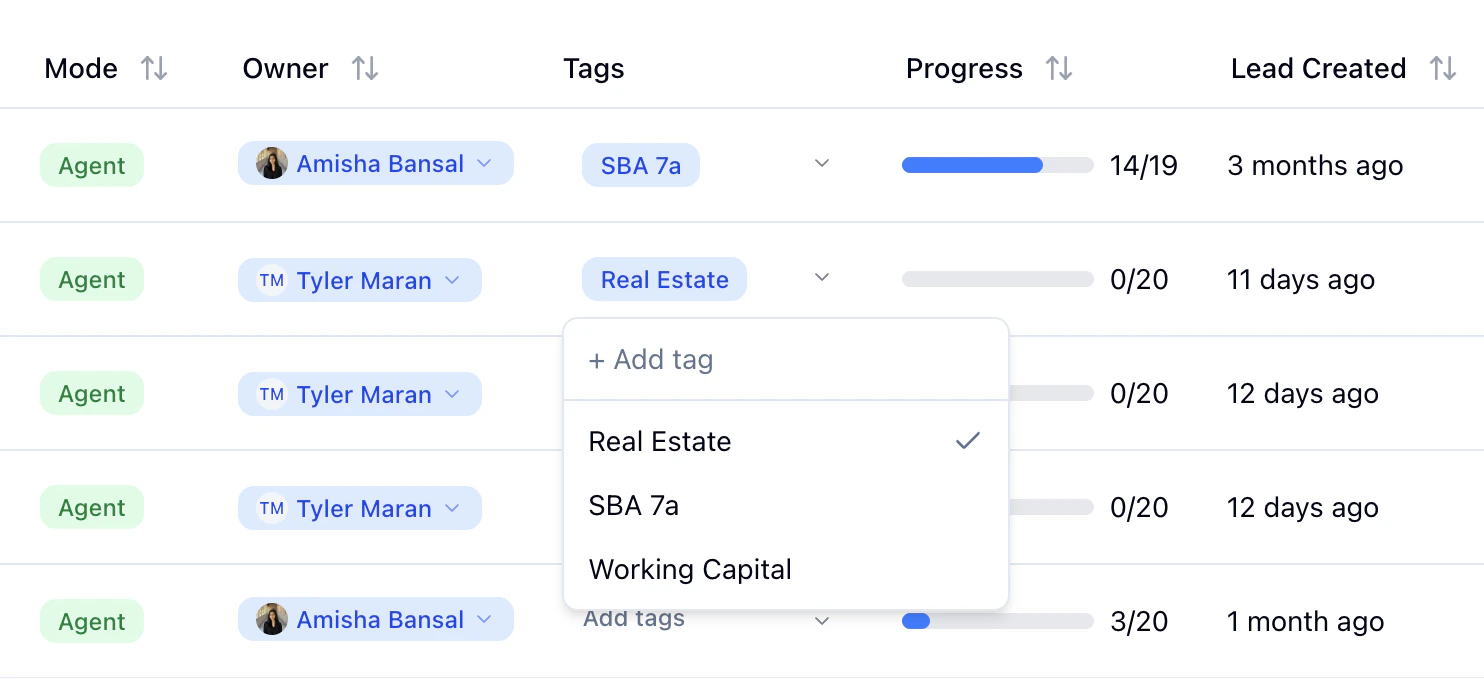
Activity based Agent Follow-ups
Use case: Keep momentum going after a lead does something on their own — uploads a document, fills in a value in the portal, or completes a checklist item — without waiting for the next scheduled follow-up. When a lead makes progress on their checklist, the agent now sends a context-aware follow-up message instead of staying silent until the next scheduled touchpoint. The trigger respects the same debounce window as other outbound messages, so leads don’t get a burst of replies for back-to-back updates, and it only fires once the agent has already started a conversation with the lead. See the Autopilot guide for how the agent handles automated outreach.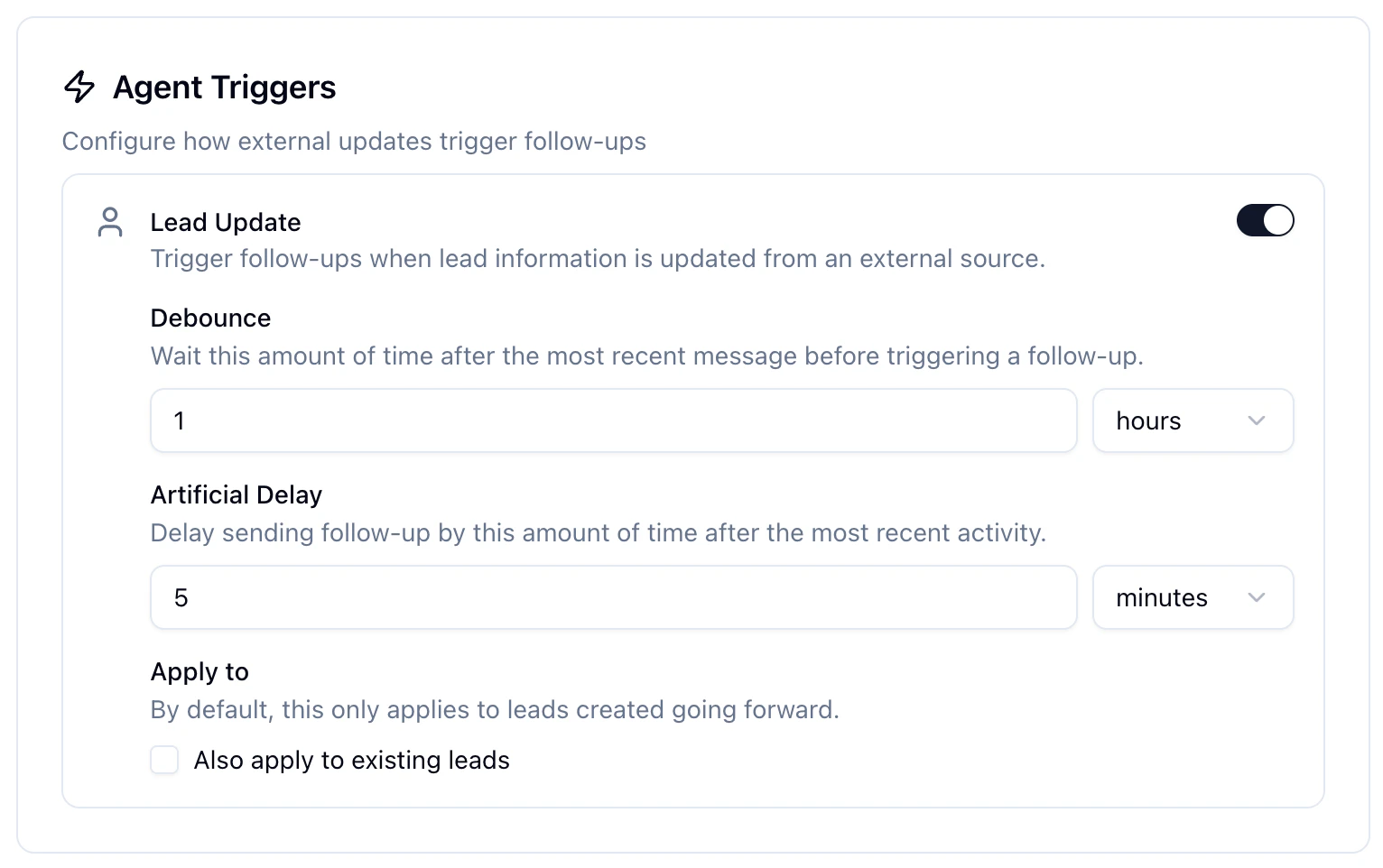
Improvements
Pagination, Filters, and Copy-Payload on Webhook Deliveries
The webhook deliveries page now supports pagination and filtering, so you can scope to a specific webhook, event type, or status when something looks off. Each delivery row also exposes a copy-payload action that grabs the exact JSON we sent, which is the fastest way to replay a request locally when debugging an integration. See the Webhooks guide for the surrounding setup.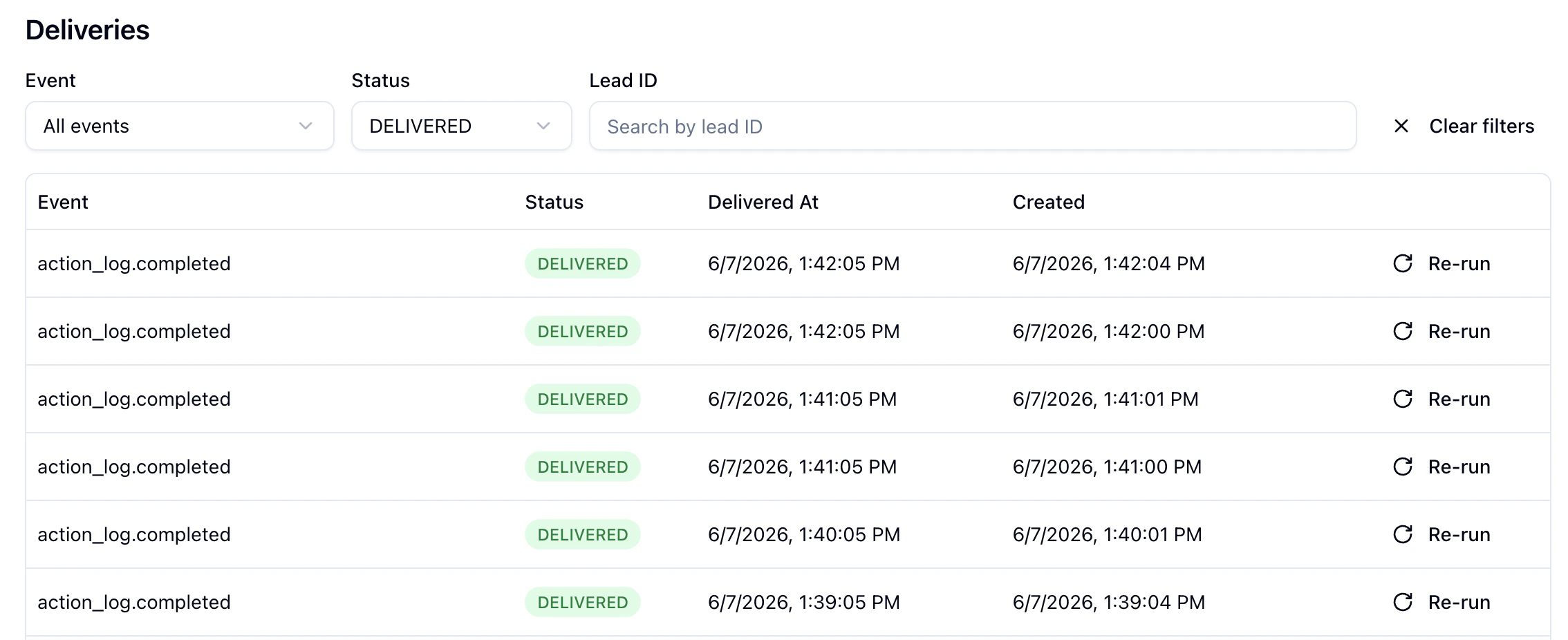
Fixes
- The status filter on the leads dashboard now includes Not Interested and Opt Out, so it’s possible to scope the list to leads who explicitly disengaged. The unused Pending option has been removed.
- Document-extracted values no longer overwrite checklist answers a lead provided directly in conversation. The agent keeps the original answer and tracks the document value as an alternative to surface during review.