

Date-filtered Leads, Programmatic Status, and a More Conversational Agent
This week brings From/To date filters to the Leads page and assistant chat, a new way to mark leads complete through the API, and tweaks to how the agent handles opt-out and follow-up conversations.Features
Date Filters on the Leads Page and in Assistant Chat
Use case: Answer “how many leads came in today?” or “show me everything from last week” without scrolling or exporting. The Leads page now has From and To date filters at the top of the filter bar. The same filters are available to the assistant, so questions like “how many leads came in this week?” return exact counts and lists scoped to that window.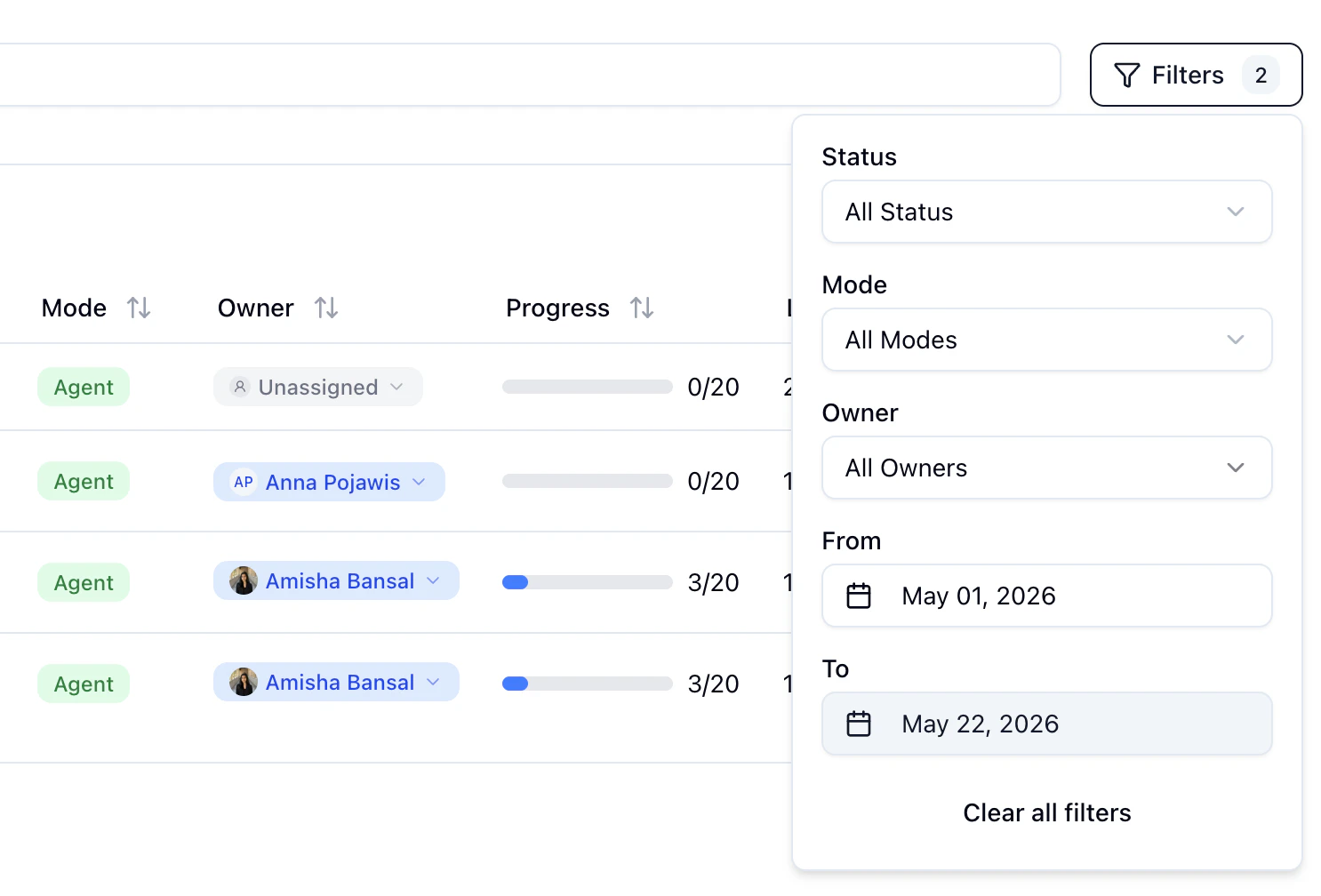
Set Lead Status via the Update Lead API
Use case: Sync lead status from an external CRM into Monumint in a single call.PUT /api/v1/leads now accepts a status field with values "COMPLETED", "IN_PROGRESS", and "OPTED_OUT". Marking a lead COMPLETED cancels any scheduled follow-ups for that lead. See the Update Lead API for the full parameter list.
Improvements
More Conversational Opt-out and Follow-up Drafts
The agent now handles ambiguous opt-out signals more carefully: when a lead’s reply is unclear, it asks a clarifying question instead of promising to stop messaging and then continuing the conversation a day later. Follow-up drafts also read more naturally when a lead is disengaging, rather than always pushing the application forward. See the Conversation guide for more on how the agent handles replies and follow-ups.Fixes
- Pending follow-ups and replies are now refreshed when a lead uploads a document, so scheduled messages reflect the new upload. See Document Vault.
- Test leads no longer trigger outbound webhooks. Real-lead webhooks are unaffected.
- The Last Action card on the lead details page now shows the time of the most recent outbound message, matching the timeline.
- Sorting the timeline “Newest first” now also reverses the messages inside a batched timeline entry, instead of leaving them oldest-first.