

A Refreshed Look, a Knowledge-Base-Savvy Assistant, and Tighter Lead Controls
This week rolls out a full brand refresh across the app, teaches the assistant to save and update knowledge base entries straight from chat, and adds a new agent setting to keep unknown senders from starting conversations you never asked for.Features
A refreshed brand and color system
Use case: Make the app feel cohesive with the rest of the Monumint brand and easier to skim, without changing where anything lives. The web app has been recolored end to end around a new brand palette and a shared color system. Colors now split into clear roles — brand, semantic (info / success / warn / error), neutral, and a small set of intentional exceptions like the purple used for agent-authored surfaces — so status badges, buttons, and highlights read more consistently across every page. Nothing has moved; the app should feel more cohesive without changing where anything lives.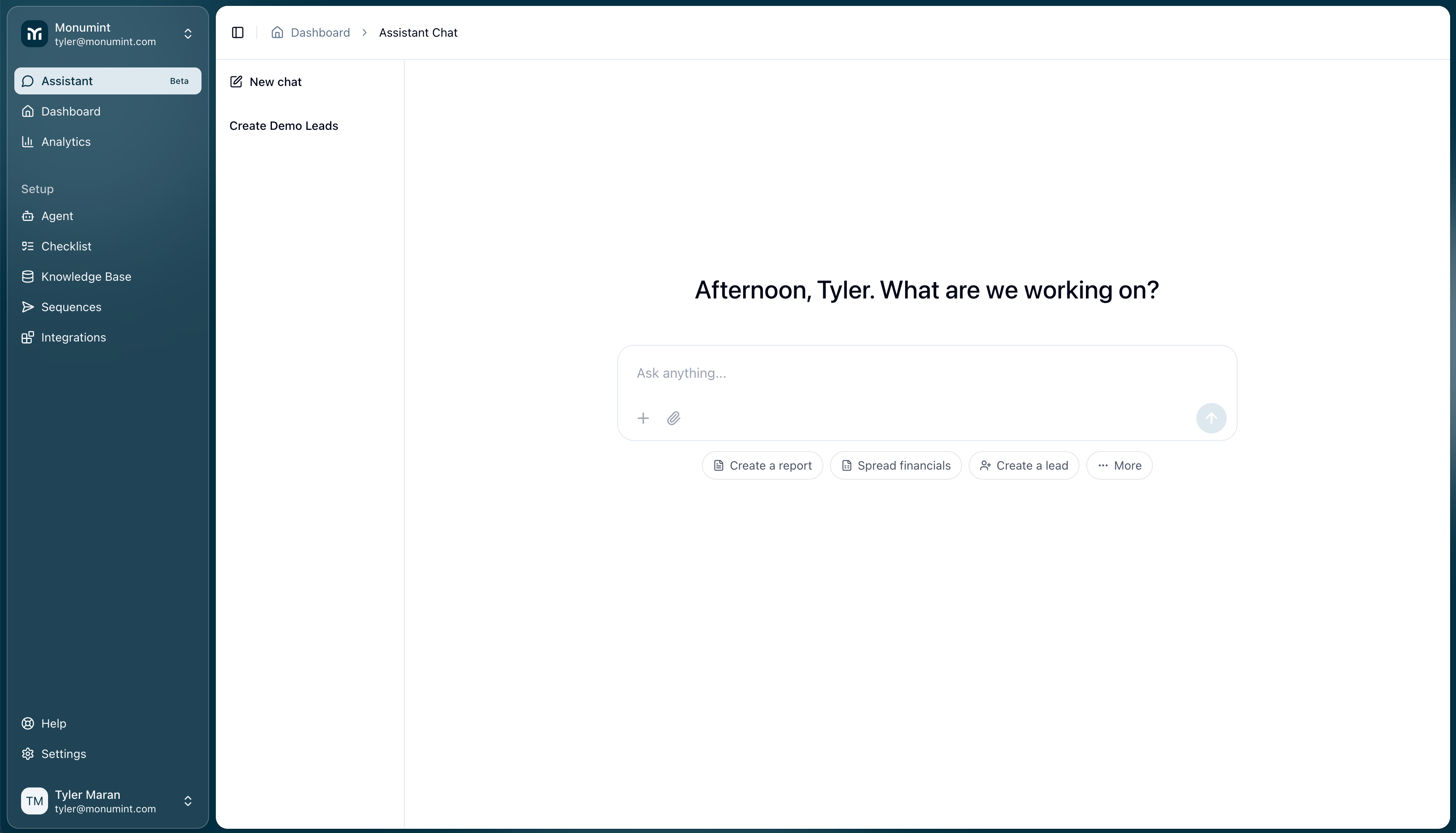
Save to your knowledge base from the assistant chat
Use case: Capture a new fact — or correct an existing one — the moment it comes up in an assistant conversation, without leaving the chat. When you share something worth remembering with the assistant, it now proposes saving it as a knowledge base entry. You get an editable card in the chat showing the title and content it wants to save; you can tweak either field and approve, or reject the suggestion. If the fact already exists, the assistant proposes an update to the exact entry it found so you don’t end up with duplicates. New assistant-created entries land under a dedicated “Assistant-added” group so it’s always clear what originated in chat versus what your team wrote by hand.Block leads from unknown senders
Use case: Prevent the agent from engaging cold, unsolicited inbound leads while still keeping a record that the contact came in. A new agent setting lets you stop the agent from replying to inbound SMS, WhatsApp, email, or calls from a contact you’ve never seen before. When the setting is on, the message still creates a lead — so you have visibility into who reached out — but the lead is marked blocked, assigned to a human, and the agent will not send anything. Existing leads writing in from a new address are unaffected as long as they land on an already-linked conversation thread. You can find the toggle on the Agent Settings page.Improvements
Email signatures per agent
Email signatures now live on the individual agent instead of on the workspace, so agents with different names, phone numbers, or disclaimers can each sign off correctly. Existing workspace signatures were copied onto every agent on rollout, so drafts and scheduled sends resolve to the same text as before. Edit each signature from the agent’s overview page.Include and exclude tag filters on the leads dashboard
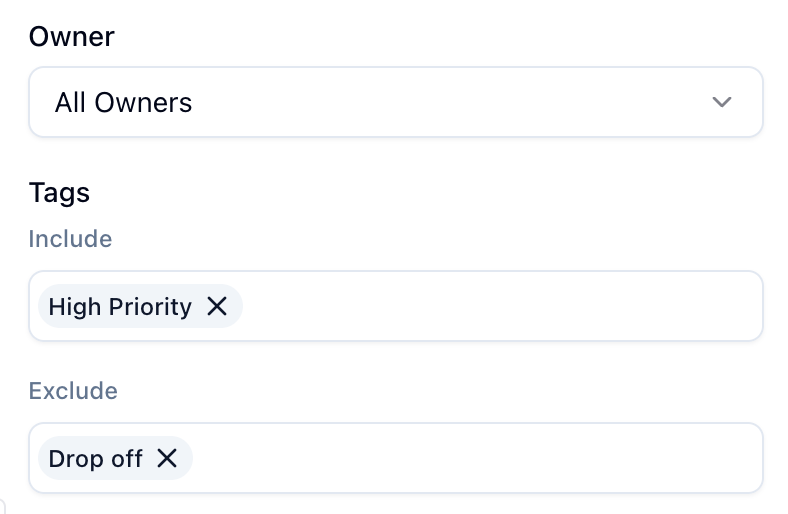
The tag filter in the leads dashboard now has explicit “contains” and “does not contain” rows, so you can build a view like containsVIP, does not contain archived in one place. “Contains” now matches leads that carry every selected tag rather than any of them, which makes multi-tag filtering more precise. The same conditions save and restore with your saved views, and excludeTags is available on the List Leads API too.
Share saved views with your workspace
Admins can now mark a saved view as shared, and it will appear under a new “Workspace views” section for everyone in the workspace. Personal views still belong to their creator; shared views can only be edited or deleted by workspace admins. Non-admins who tweak the filters on a shared view are offered “Save as new view” so they can fork it into a personal view without stepping on the shared one.Web search for the assistant
The assistant can now pull in results from the open web when a question needs context that isn’t in your workspace, using a new web-search tool. This is useful for looking up companies, checking public information about a lead, or grounding a reply against something happening outside your CRM.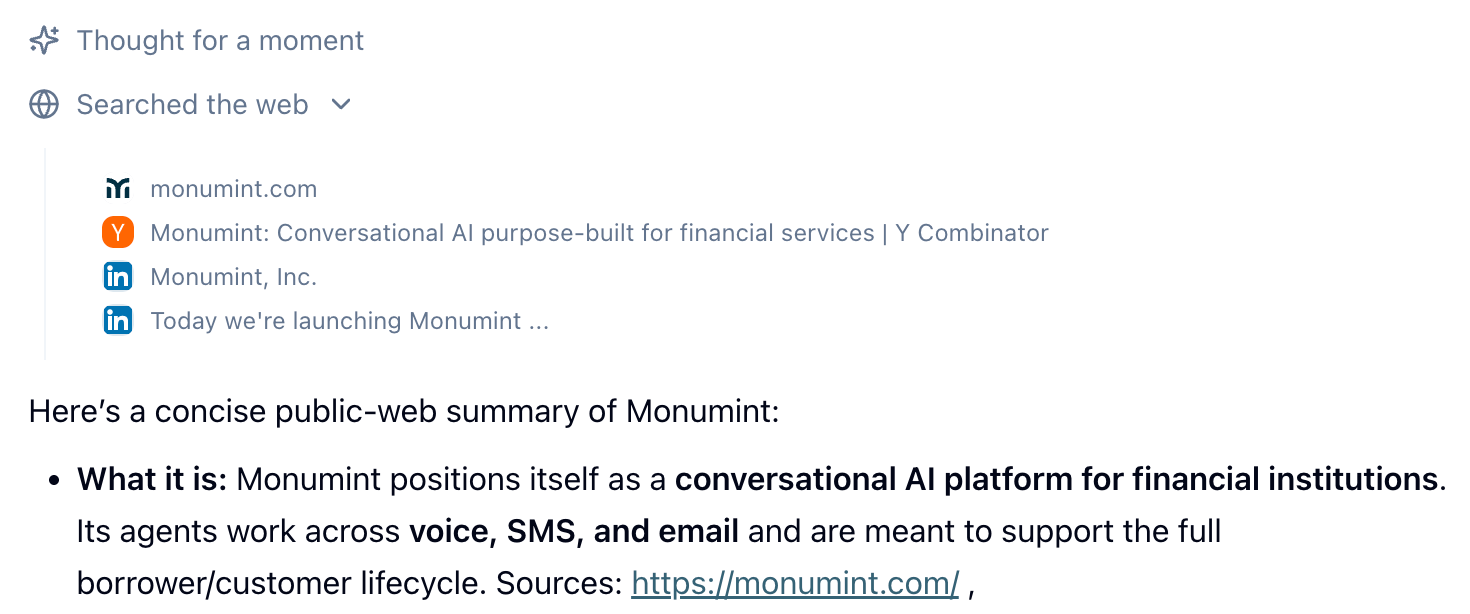
Faster Salesforce sync and nested field support
The Salesforce importer runs meaningfully faster on large workspaces. Field mappings and lead-filter conditions now accept nested paths (for exampleAccounts.Contact.FirstName), so you can pull related-object fields into an agent’s checklist or use them to decide when the agent should be active on a lead.
Multi-agent workspaces (early access)
Workspaces can now host more than one agent, with each agent optionally acting as either a checklist collector or a support-only agent. The lead detail page picks up an agent selector when a lead is linked to multiple agents, so you can send or draft as any of them. This is behind an opt-in feature flag while we iron out the workflow — reach out if you’d like it turned on for your workspace.Fixes
- Fixed a case where a lead update through the API could cancel an agent’s in-flight reply and replace it with a next-business-day follow-up instead of answering the lead.
- Sequence emails that require approval now include the agent’s email signature before you review them.
- Removed a false “unpublished changes” banner that appeared on the agent settings page when the email signature editor loaded, along with a few cases where the editor was silently rewriting link colors, paragraph styling, or underline markup on save.
- Fixed a layout overflow in the conversation view where long draft or reply content could push past the panel edge.