

Smarter Templates, a New Launcher, and Document Intelligence
This week was all about making the assistant more powerful and discoverable — from a new launcher UI that surfaces what the agent can do, to Handlebars-powered templates that support real logic, to layout-aware document understanding.Features
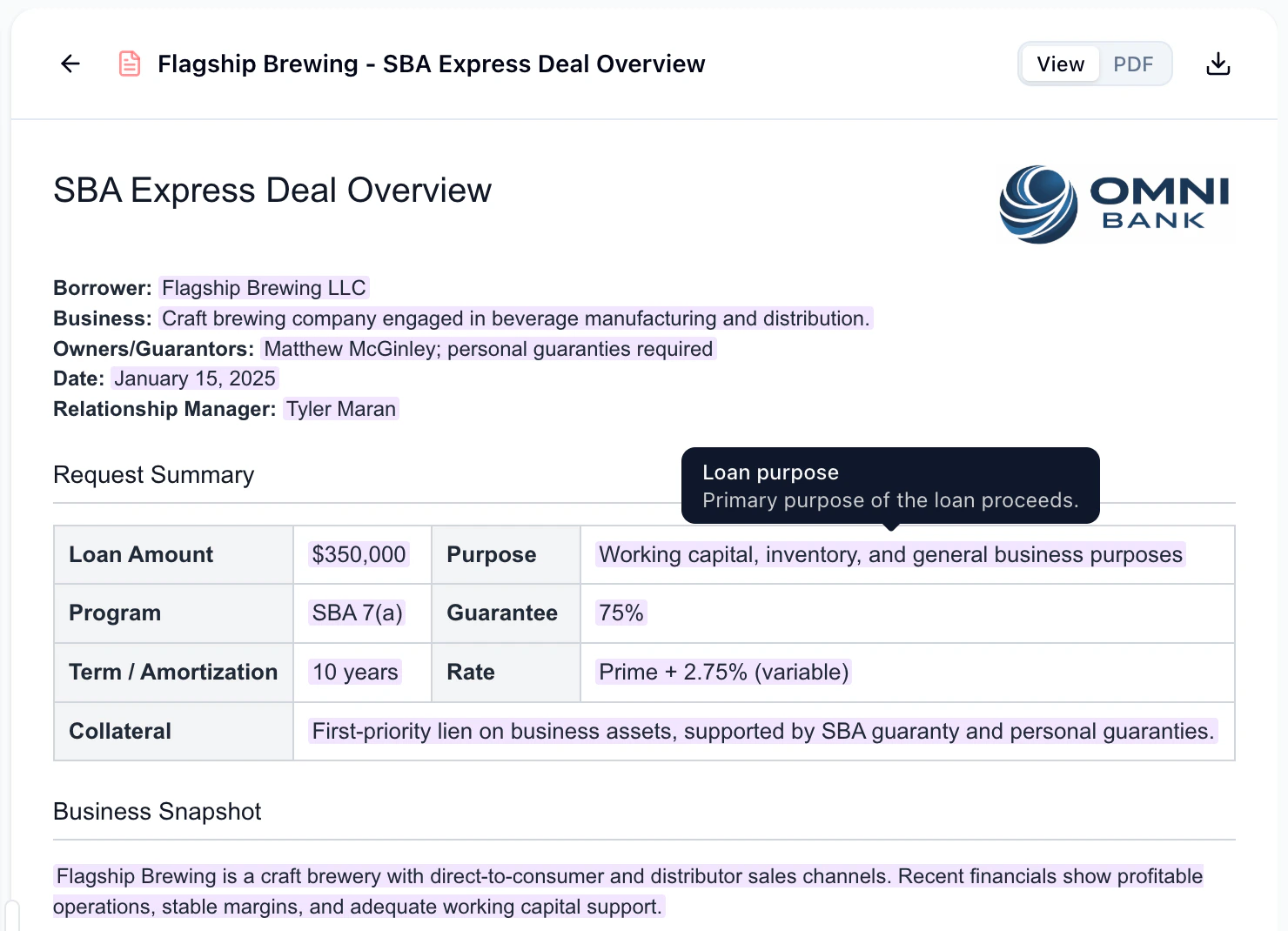
Improved Template Rendering
The Monumint Assistant is currently in beta. Contact your rep to activate it for
your workspace.
{{#each}} loops for line items, {{#if}} conditionals for optional sections, and more. You can also upload images (like a company logo) directly in the assistant chat and have them embedded in generated reports and templates. The template sidebar and report artifact views have been updated to display these control flows clearly.
Assistant Launcher
Help users discover what the AI assistant can do and quickly attach context to their messages. A new command palette-style launcher is now available in the assistant chat. Action chips below the input suggest common tasks, and the launcher modal lets you search for actions and attach leads, documents, or templates directly to your message.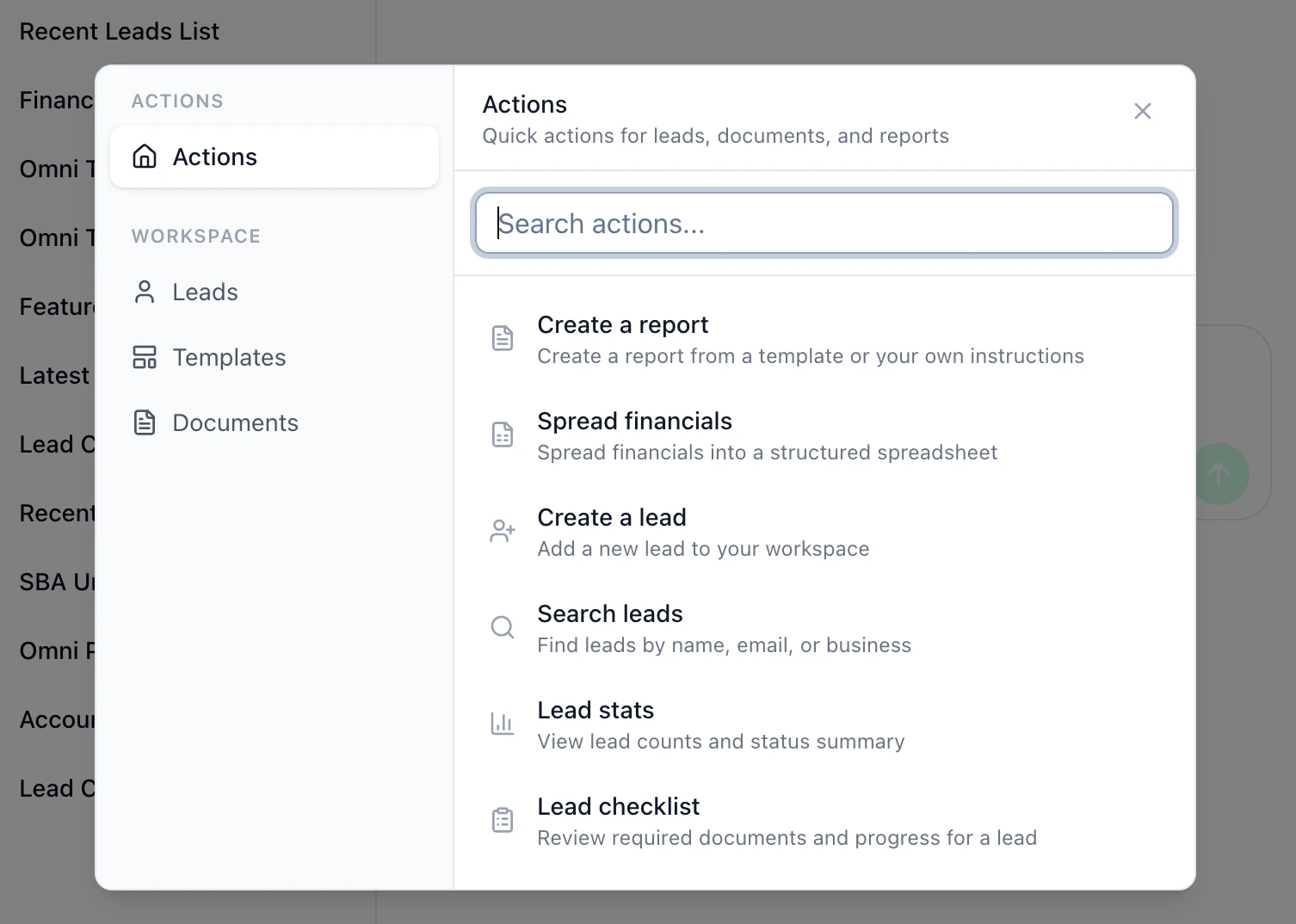
Document Layout Analysis
Upload a document and have the AI recreate its formatting as a reusable template. A new document layout analysis tool lets the agent understand not just the text content of an uploaded file, but its visual structure — headings, tables, spacing, and more. Upload a PDF, DOCX, or image, and the agent can generate a matching template that preserves the original layout.Improvements
Document Upload API Metadata
The/api/v1/documents upload endpoint now accepts an optional metadata parameter, letting you pass externalId and name for each uploaded file. This makes it easier to link uploaded documents back to records in your system. See the Upload Documents API reference for request and response details.
Twilio API Key Authentication
You can now authenticate your Twilio integration using an API key and secret as an alternative to an auth token. A dropdown in the integration settings lets you choose between the two methods, and credentials are validated against Twilio before saving.Configurable Agent Response Timing
Agent response delay now supports seconds-level granularity. Previously limited to whole minutes, you can now set delays as short as 30 seconds for faster follow-ups.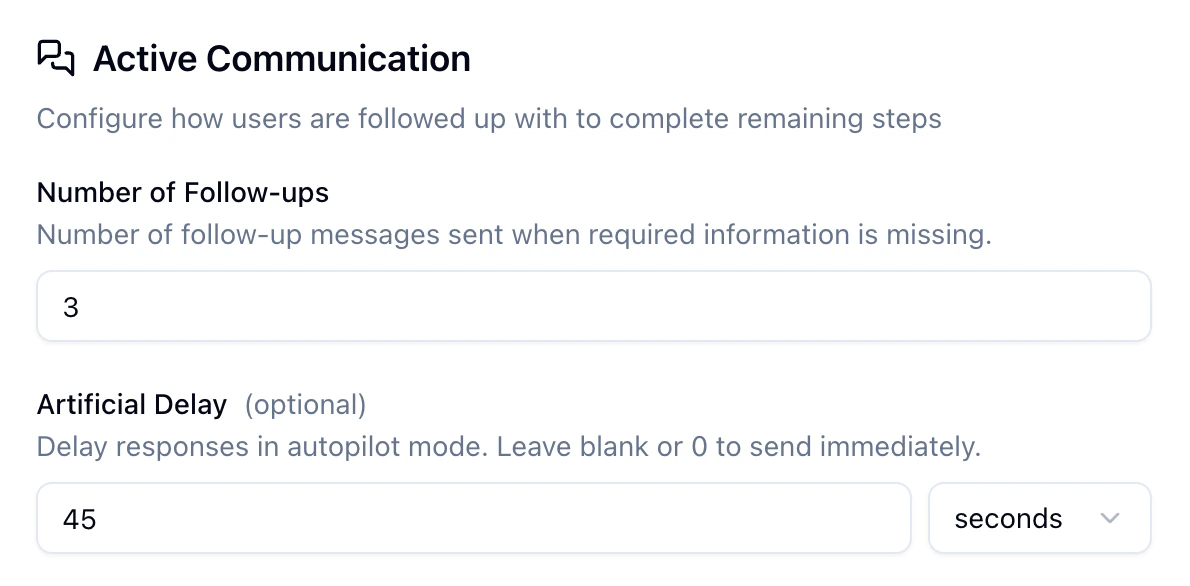
Fixes
- Fixed checklist items not updating correctly in the portal
- Fixed an issue with Twilio SMS webhook responses
- Fixed Twilio credential handling when using workspace-level integration tokens