> ## Documentation Index
> Fetch the complete documentation index at: https://docs.getomni.ai/llms.txt
> Use this file to discover all available pages before exploring further.
# White-Label Applicant Portal
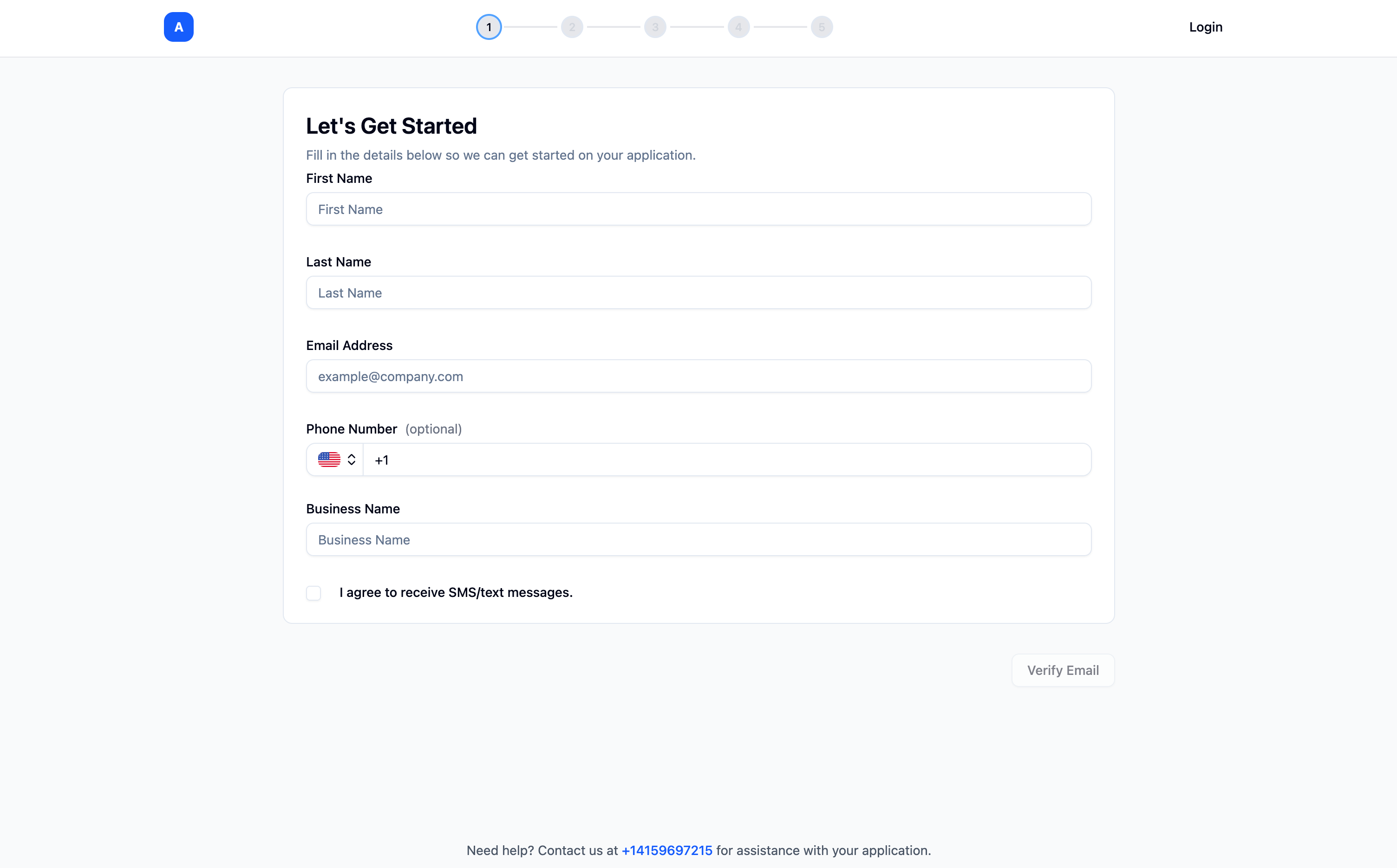 If you need a white-label application form for your application process, the white-label applicant portal is here for you.
## Overview
Each lead will have a client portal where they can:
* Fill out their basic information
* Upload documents
* View their application status
* Complete checklist items
## Features
* **Customizable branding**: Match your company's look and feel
* **Secure access**: Each lead has a unique portal link
* **Real-time updates**: Portal reflects current checklist status
* **Document upload**: Easy file upload interface
* **Progress tracking**: Leads can see what's completed and what's remaining
## Accessing the Portal
Leads can access their portal via:
* **Email link**: Portal link sent via email
* **SMS link**: Portal link sent via SMS
* **Direct link**: Share portal link directly with leads
## Portal Customization
Configure the portal to match your brand:
* **Company logo**: Add your logo
* **Colors**: Customize color scheme
* **Welcome message**: Personalized greeting
* **Instructions**: Custom guidance for applicants
## Integration
The portal integrates seamlessly with:
* **Agent communication**: Agent can reference portal in messages
* **Document collection**: Documents uploaded via portal are processed automatically
* **Checklist updates**: Portal reflects real-time checklist status
* **Timeline**: Portal activity is logged in the Timeline
## Related Guides
Learn about document collection
Configure checklist items
Set up custom subdomain for portal
If you need a white-label application form for your application process, the white-label applicant portal is here for you.
## Overview
Each lead will have a client portal where they can:
* Fill out their basic information
* Upload documents
* View their application status
* Complete checklist items
## Features
* **Customizable branding**: Match your company's look and feel
* **Secure access**: Each lead has a unique portal link
* **Real-time updates**: Portal reflects current checklist status
* **Document upload**: Easy file upload interface
* **Progress tracking**: Leads can see what's completed and what's remaining
## Accessing the Portal
Leads can access their portal via:
* **Email link**: Portal link sent via email
* **SMS link**: Portal link sent via SMS
* **Direct link**: Share portal link directly with leads
## Portal Customization
Configure the portal to match your brand:
* **Company logo**: Add your logo
* **Colors**: Customize color scheme
* **Welcome message**: Personalized greeting
* **Instructions**: Custom guidance for applicants
## Integration
The portal integrates seamlessly with:
* **Agent communication**: Agent can reference portal in messages
* **Document collection**: Documents uploaded via portal are processed automatically
* **Checklist updates**: Portal reflects real-time checklist status
* **Timeline**: Portal activity is logged in the Timeline
## Related Guides
Learn about document collection
Configure checklist items
Set up custom subdomain for portal