> ## Documentation Index
> Fetch the complete documentation index at: https://docs.getomni.ai/llms.txt
> Use this file to discover all available pages before exploring further.
# Document Vault
 # Document Vault
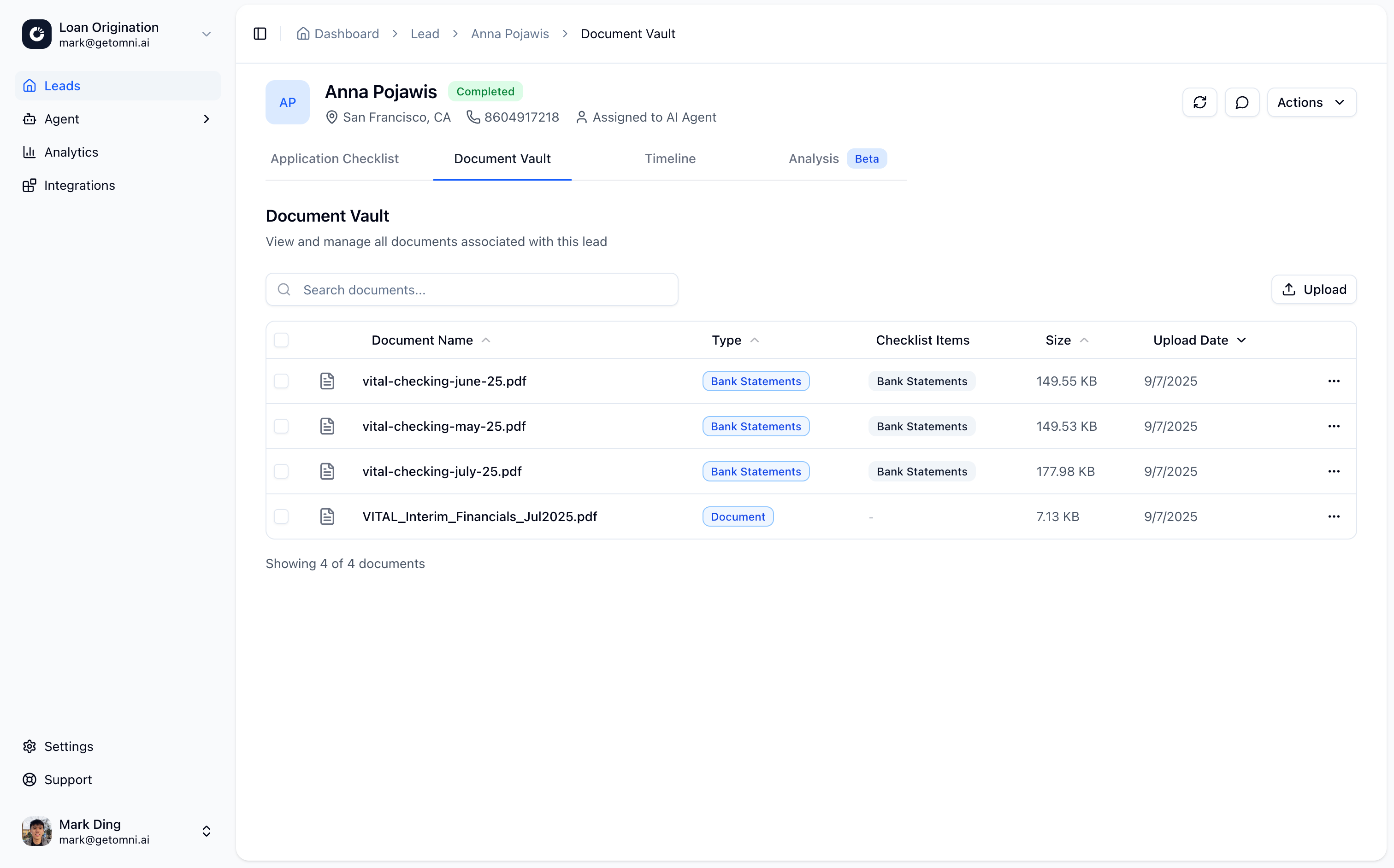
The Document Vault is where all documents submitted by leads are stored and organized. Each lead has their own document vault containing all uploaded documents, extracted data, and processing results.
## Overview
The Document Vault provides:
* **Centralized storage** for all lead documents
* **Document organization** by checklist item
* **Extracted data** from processed documents
* **Document metadata** including classification and validation status
* **Secure access** via signed URLs
## Accessing Documents
Documents can be accessed through:
* **Lead detail page**: View all documents for a specific lead
* **API**: Retrieve documents programmatically via the [Documents API](/api-reference/documents/get-document)
* **Webhooks**: Receive notifications when documents are received or processed
## Document Processing
When a document is uploaded, the system automatically:
1. **Stores the document** securely in S3
2. **Runs OCR** to extract text
3. **Classifies the document** to match checklist items
4. **Validates the document** against configured rules
5. **Extracts data** to populate checklist items
## Document Metadata
Each document includes:
* **Filename**: Original filename
* **Document type**: Classified document type
* **Size**: File size in bytes
* **MIME type**: File type (PDF, image, etc.)
* **Processing status**: Extraction and validation status
* **Extracted text**: OCR results
* **Checklist matches**: Which checklist items the document matches
## Related Guides
Learn how documents are collected
Retrieve documents via API
View document activity in timeline
# Document Vault
The Document Vault is where all documents submitted by leads are stored and organized. Each lead has their own document vault containing all uploaded documents, extracted data, and processing results.
## Overview
The Document Vault provides:
* **Centralized storage** for all lead documents
* **Document organization** by checklist item
* **Extracted data** from processed documents
* **Document metadata** including classification and validation status
* **Secure access** via signed URLs
## Accessing Documents
Documents can be accessed through:
* **Lead detail page**: View all documents for a specific lead
* **API**: Retrieve documents programmatically via the [Documents API](/api-reference/documents/get-document)
* **Webhooks**: Receive notifications when documents are received or processed
## Document Processing
When a document is uploaded, the system automatically:
1. **Stores the document** securely in S3
2. **Runs OCR** to extract text
3. **Classifies the document** to match checklist items
4. **Validates the document** against configured rules
5. **Extracts data** to populate checklist items
## Document Metadata
Each document includes:
* **Filename**: Original filename
* **Document type**: Classified document type
* **Size**: File size in bytes
* **MIME type**: File type (PDF, image, etc.)
* **Processing status**: Extraction and validation status
* **Extracted text**: OCR results
* **Checklist matches**: Which checklist items the document matches
## Related Guides
Learn how documents are collected
Retrieve documents via API
View document activity in timeline